Local Backup Sync
Local Backup Sync
Homelab owners or anyone that uses a computer may find themselves wanting to back up important local files from time to time. If you’re like me, you may forget to back up those files regularly and only remember to do so when you’re in need of a backed up file. At that point it is too late.
Imagine a setup where you can just manage your homelab and not have to worry about backing up important config files or local documents.
Enter Sync Thing.
Sync Thing
Sync Thing is a free application to sync two folders. You can specify if a folder can send, receive or both. So you could set folders that your home lab uses, to sync to a backup location on the same machine or on another machine on your local network. This is very useful for serveral homelab files, but it is most useful in my lab for configuration files. A lot of self-hosted services rely on configuration files to specify how the service should look or behave. These config files are often YAML, so you really only need to back up a single file.
When maintaining a homelab, we often install new things or fix existing things and then move on once we see the new shiny thing or we see that we have restored order amongst services in the homelab. That’s great, but what if something happens to the config file or the machine that it’s running on? Maybe a hard drive failed, or you deleted something by mistake and didn’t catch it until the deleted file was removed permanently.
This is where Sync Thing shines. It works silently in the background, keeping track of your files and any changes you make to them, and then sending those changes to a backup location you specify.
Setup and configuration
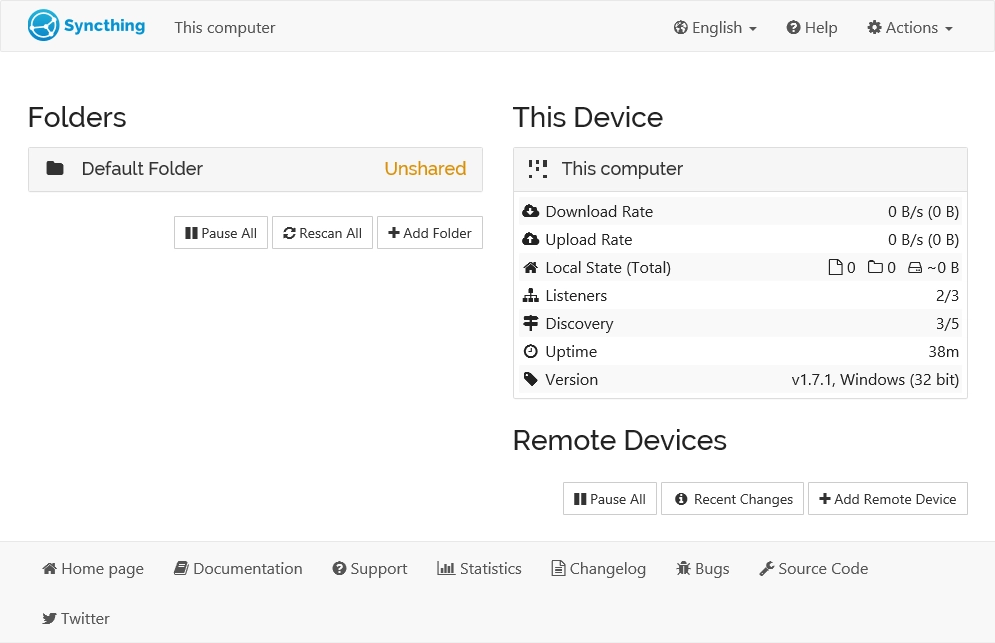
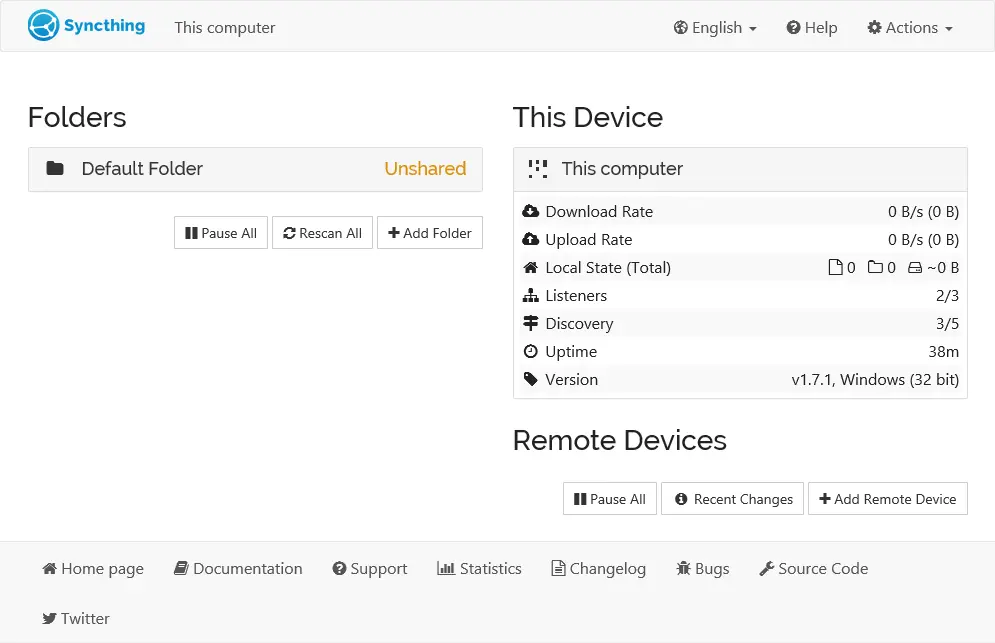
The first thing to do is head over to Sync Thing’s site and download the version of the app that suits your needs. They offer installations for windows, Linux and macOS. This should be installed on the machine that you want to back from, as well as the machine where the backup location is.
Once you have your installation installed and setup, you can configure Sync Thing to monitor folders and then choose where those folders should be synced to. The application is pretty intuitive and easy to configure to your setup.
Use Cases
I am only using Sync Thing for a few use cases currently, and it is working flawlessly. I haven’t encountered a single issue, which is why I’m writing this post and recommending Sync Thing.
Homelab Dashboard
Like many homelab users, I have a dashboad to monitor services and access everything. Every time I say I’m done with the dashboard, I find soemthing I want to change or a new widget that I want to add. So far this probably sounds pretty familiar. A little tinkering here, a little tinkering there and now my config file looks very different.
For one reason or another, there may be times when I need to restore my config file — adding invalid YAML to the file and preventing the dashboard from loading, so i need to revert to a known-working state. Hardware failure on the device the dashboard is running on, or moving the dashboard to a different host machine are just a few reasons you may need to restore a config.
Obsidian Notes
I use Obsidian for my personal notes. I prefer Obsidian because it gives you complete control over your data, and it is stored in a directory of your choosing. Obsidian stores your notes in a vault and each note is in an individual markdown file.
Obsidian offers a paid service to sync your notes between devices, but there are other methods to achieve device sync. I use a cloud service to store my Obsidian vault. Most cloud providers offer a desktop application to view files in your operating system’s native file explorer. I point Sync Thing to the specific directory that my Obsidian vault is stored, in the cloud directory on my local system.
Backup Locations
You can choose where Sync Thing will backup files to. You can even choose a different location for each folder you want to backup. I backup everything to one central location for simplicity sake. Ideally, you should backup files to a location/device that is not the same as where you’re backing up from, just in case something catostrophic happens to the machine you’re backing up from, because then your backups are no longer safe and may not be able to be used to restore with.
I have a dedicated device on my network that is set to receive only, and other devices on my network sync with this machine. I periodically backup those files to an offline storage device that isn’t connected to any computer or internet.
Conclusion
Sync Thing allows me to do the work I need to do, with the peace of mind that my important files are backed up to a safe place in case anything bad happens, without every thinking about it.
I highly recommend trying out Sync Thing!
← Back to blog